
SyncSpace provides a zoomable canvas for simultaneous sketching by multiple collaborators, at any time, over the net. No files to send around, no versions to worry about. You're all sharing the same whiteboard!
Deep Zooming
Sketch out your ideas in a nearly limitless, zoomable drawing space.
Never again be limited by the size of the canvas or the amount of space remaining in an existing sketch. You can always zoom in to add detail or zoom out to add context to a drawing. With SyncSpace's zooming, handwriting on a 10" screen actually becomes feasible.
Sketch Together
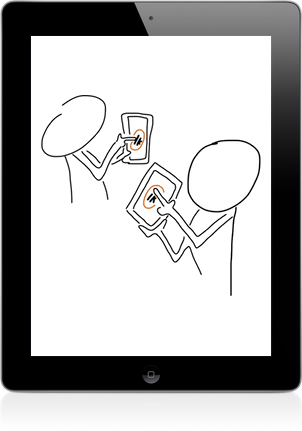
SyncSpace drawings can be updated by anyone with an iPad or Android device, anywhere on the Internet. You can invite others to collaborate on sketches by sending a link via iMessage or email. In meetings, conferences and schools, SyncSpace can discover and broadcast the existence of nearby shared drawings using Bonjour.
There are no limits to the number of people who can collaborate on a drawing.
Sharing Options
Your drawings can be shared via Facebook, Twitter, 37 Signals' Campfire, your photo library, or emailed as PDF files. You can also open SyncSpace drawings in any app that handles PDF files, including Dropbox, GoodReader, Evernote, iBooks and thousands more!
Sketches can be displayed on a nearby AppleTV or any HDMI or VGA-connected display. Any shared drawings are also advertised on the local network using Bonjour.

Share Anywhere
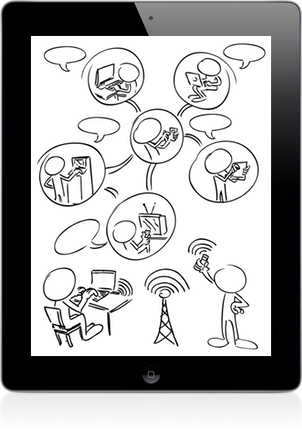
Collaborate on drawings using SyncSpace for iPad or Android (including Kindle Fire). Drawings can be viewed with zooming and real-time updates using a web browser on a PC, Mac or mobile device.
Reviews
Great remote whiteboard
5 Stars
Simple to use. Works well. Love the infinite zoom/pan. The upgrade (2.0) is awesome.
Usability is well thought out. Can now zoom/pan with 2 fingers. Undo is really handy.
— Paodequai
5 Stars
I use it in class every day for the past year or so. It it the best app on Earth. Very good job guys!
— David C.
Best thing for team collaboration
5 Stars
Designing layouts and workflows with other people is so much easier with this app. It's awesome.
— Kevin Hosford
Great app
5 Stars
This...is invaluable for high school and college students (and their teachers) to provide help when they
can't be together. Easy to get connected, fairly easy to use.
— Geyermj
This is the best shared whiteboard product so far
4 Stars
I've tried a lot of shared whiteboard apps, and this is the best one I've found...Keep up the good work!
— Alex Limi
Great!
5 Stars
Simple, easy to use with plenty of useful options, and really nice looking app.
— Plexform
About Syncspacae
5 Stars
I only have one word for this Application: Great!!!
— TheZetetic
Great app
4 Stars
This is EXACTLY what I've been looking for!! Infinite zoom, infinite size whiteboard, collaboration. PERFECT!!
— Jeff
Smooth
4 Stars
Nice: does what it says, tutorial is well done.
— Etta156